Build Triton Image with QAic Backends
Download the Docker image with Triton server and prebuilt QAic backends from the Cloud AI Containers repository:
docker pull ghcr.io/quic/cloud_ai_triton_server:1.21.2.0
To build your own Docker image, following the steps below.
To add custom backends for Cloud AI
accelerators to a standard Triton server image, run a set of scripts
and provide the sdk_path parameter. The build_image.py script, which is
included in the Cloud AI Apps SDK, generates the Docker image and can be executed after
extracting the SDK package.
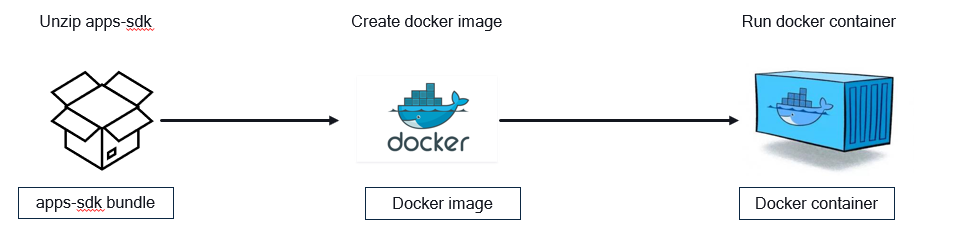
cd </path/to/apps-sdk>/common/tools/docker-build

python3 build_image.py --image_name qaic-triton --tag 1.21 --log_level 2 --user_specification_file sample_user_specs/user_image_spec_triton_model_repo.json --apps_sdk /apps/sdk/path.zip --platform_sdk /platform/sdk/path.zip
The above command may take 15-20 minutes to complete and generates a Triton Docker image in the local Docker repository.
docker image ls
REPOSITORY   TAG      IMAGE ID       CREATED         SIZE
qaic-triton  1.21     a0968cf3711b   3 days ago      13.6GB
Start the container using the docker run command with the desired image name. Note the shared memory argument --shm-size for
supporting ensembles and Python backends.
docker run -dit --shm-size=4g --ipc=host --net=host --device /dev/accel/ <triton-docker-image-name>:<tag>

docker ps
CONTAINER ID   IMAGE            COMMAND                  CREATED      STATUS      PORTS     NAMES
b88d5eb98187   qaic-triton      "/opt/tritonserver/n…"   2 days ago   Up 2 days             thirsty_beaver