Triton Inference Server
Triton Inference Server 2.61.0 (container image 25.09) is open source inference server software that streamlines AI inferencing.
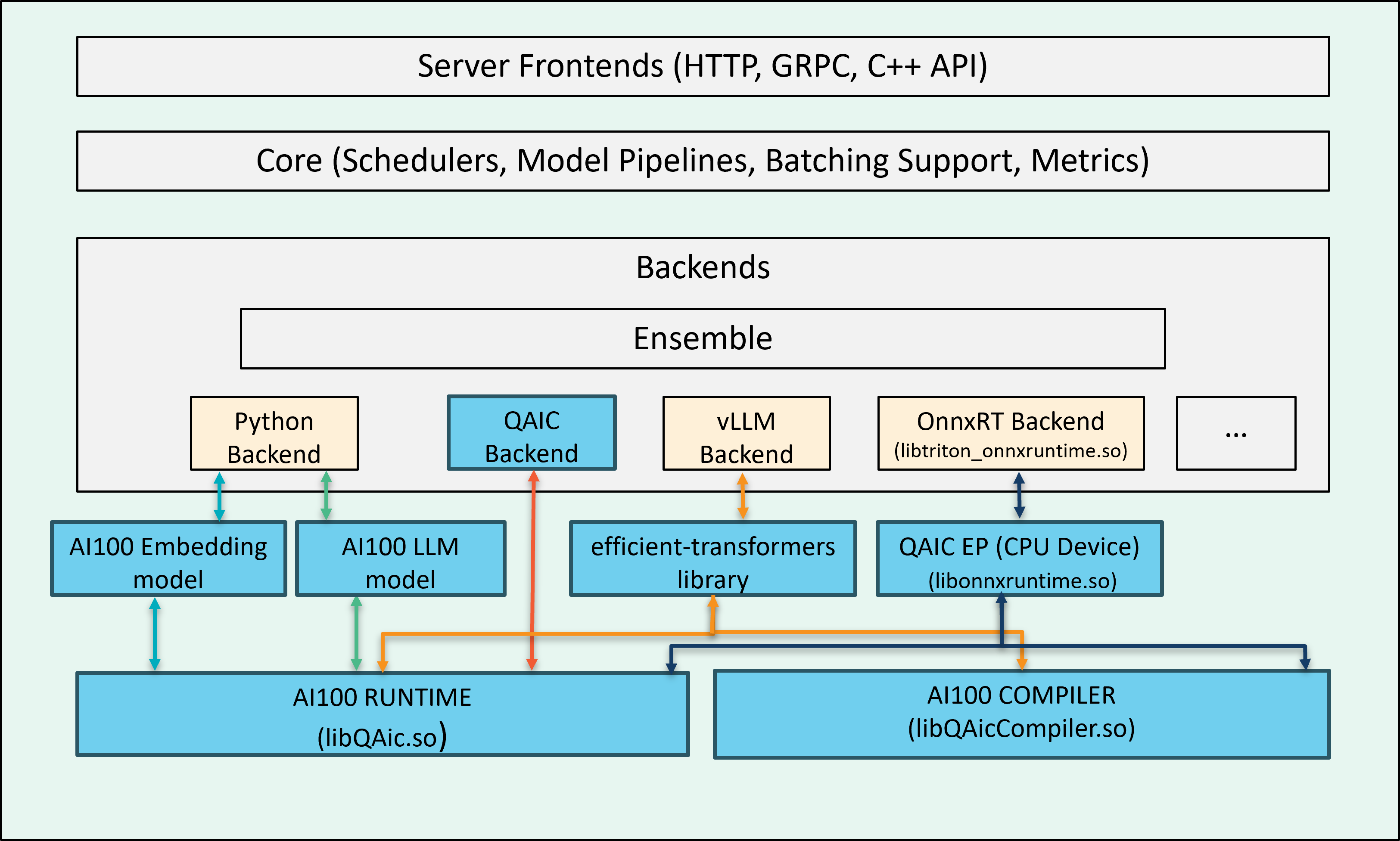
Cloud AI SDK enables multiple backends for inference execution workflow. When these backends run on a host with Cloud AI inference accelerators, they detect the Cloud AI cards during initialization and route inference requests (sent to the Triton server) to the hardware.
Supported Features
Backends for Cloud AI hardware:
onnxruntime_onnx (v1.18.1) as platform with QAic EP (execution provider) for deploying ONNX graphs.
QAic as a custom backend for deploying precompiled model binaries
Python backends for LLMs and embedding model execution
vLLM backend
Model Ensemble (QAic Backend, onnxruntime)
Dynamic Batching (QAic Backend, onnxruntime)
Auto device-picker
Support for auto complete configuration
LLM support for LlamaForCausalLM, AutoModelForCausalLM categories.
vLLM (0.10.1.1) support for Cloud AI execution.
OpenAI Compatibility (vLLM backend)
Docker Image
Triton server runs in a Docker container. Download the Docker image with prebuilt QAic backends from the Cloud AI Containers repository:
docker pull ghcr.io/quic/cloud_ai_triton_server:1.21.2.0
To build your own Docker image, see:
Start Triton Container
docker run -it --rm \
  --shm-size=4g \
  --network host \
  --mount type=bind,source=/path/to/workspace,target=/path/to/workspace \
  --device /dev/accel/ \
  ghcr.io/quic/cloud_ai_triton_server:1.21.2.0 \
  bash
Model Repository
A model repository is required to serve models with the Triton server. Create a model configuration file to specify execution properties, including input/output structure, backend, batch size, and other parameters. Follow Triton’s model repository and model configuration guidelines when creating the config file.
Check the Backends section for backend-specific configuration options. The Triton Config Generator can help you create a minimal starter config file.
Triton Config Generator
Model configuration file config.pbtxt is required for each model to
run on the Triton server. The triton_config_generator.py tool helps
to generate a minimal model configuration file if the programqpc.bin
or model.onnx file is provided. The script can be found in
“/opt/qti-aic/integrations/triton/release-artifacts/config-generation-script”
path inside the container.
The script takes three arguments:
model_repository: Model repository for which config.pbtxt needs to be generated (QAic backend)
all: Generate config.pbtxt for ONNX (used with model-repository)
model_path: QAic model or ONNX model file path for which model folder needs to be generated.
You can pass the model_repository argument, in which case the script
iterates through the models and generates config.pbtxt for any models
that do not already have a config file. Use the all option if you also
want to generate configs for ONNX models.
Alternatively, you can provide model_path to generate a model folder structure
with config.pbtxt using randomly generated model names.
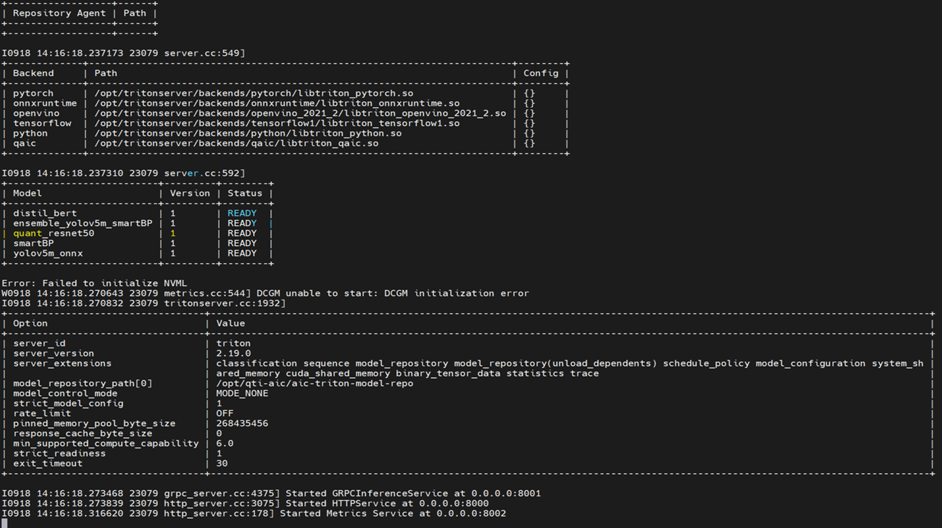
Launch Triton Server
To launch Triton server, execute the tritonserver binary within the
Triton container with the model repository path.
/opt/tritonserver/bin/tritonserver --model-repository=</path/to/repository>
Backends
Use one of the following QAic-compatible backends to serve models on Triton server:
Examples
Triton example applications are released as part of the Cloud AI Apps
SDK. Inside the Triton Docker container the sample model repositories
are available at “/opt/qti-aic/aic-triton-model-repositories/” -
--model-repository option can be used to launch the models.